









About Data Director
Efficient Data Integration with the Flexible Import / Export / Automation Solution for Pimcore
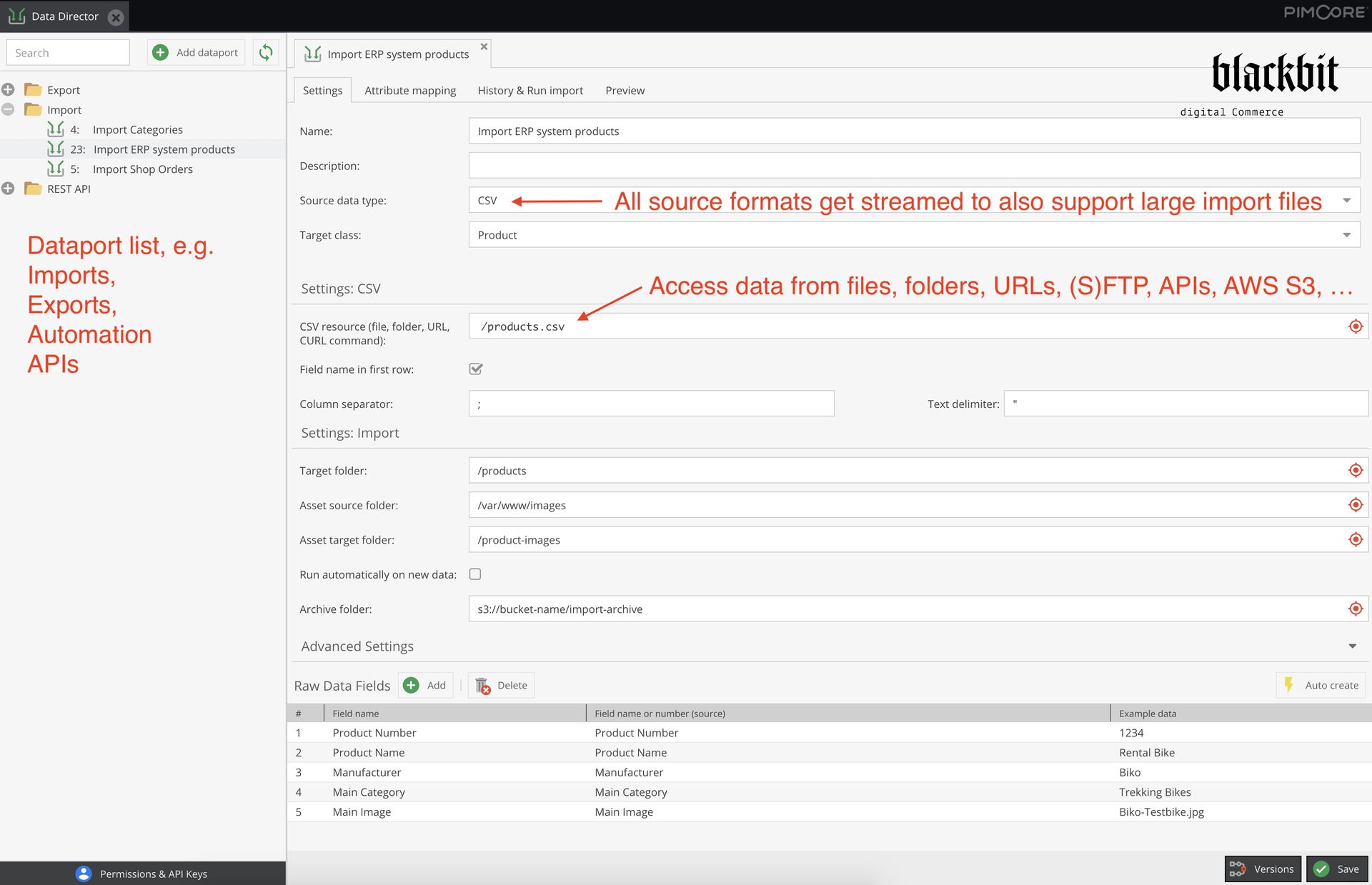
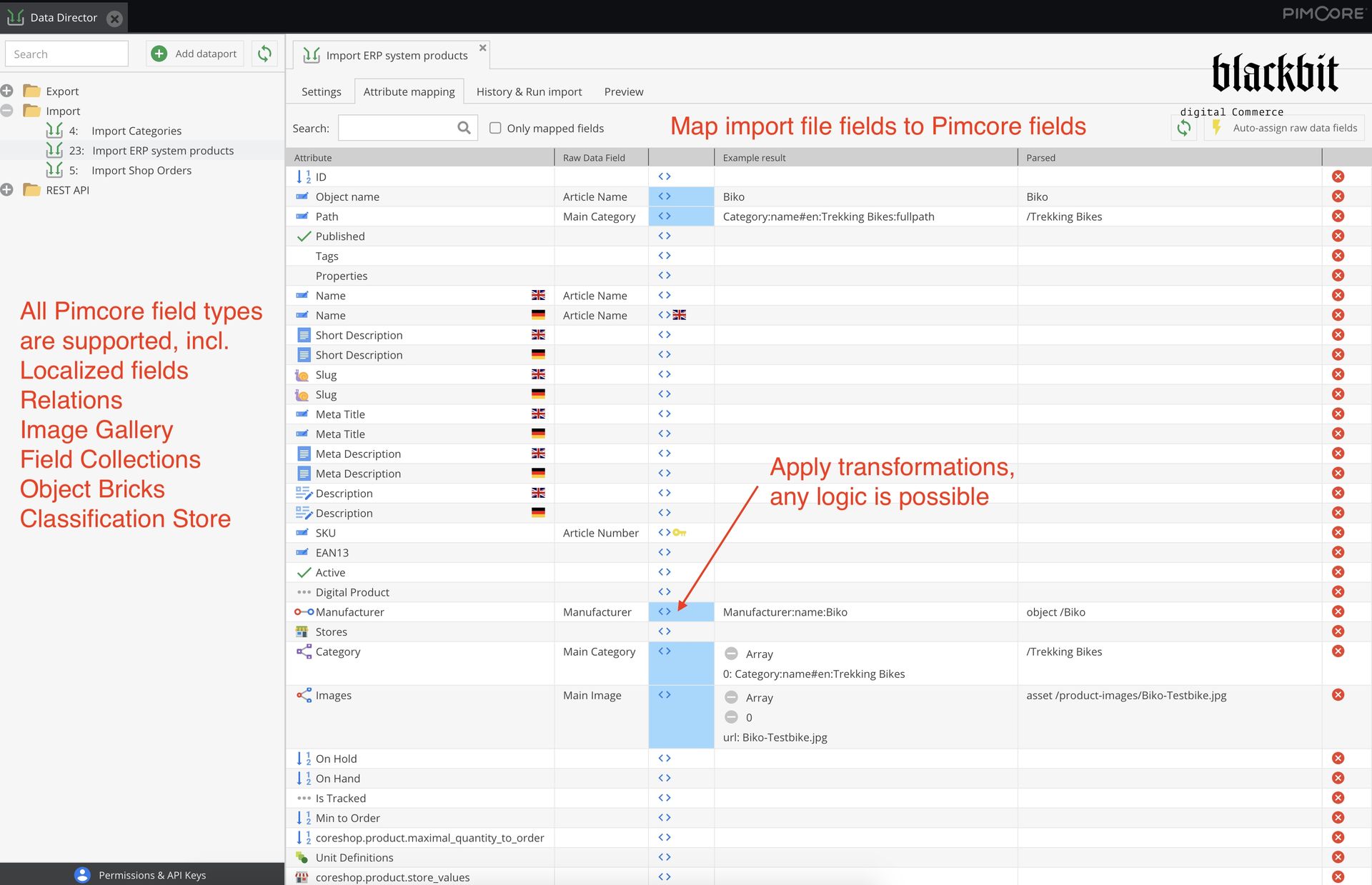
Data Director is a powerful Pimcore plugin that optimizes data management, imports, exports, and workflows. You can flexibly define which information gets extracted from import sources and mapped to Pimcore object fields.
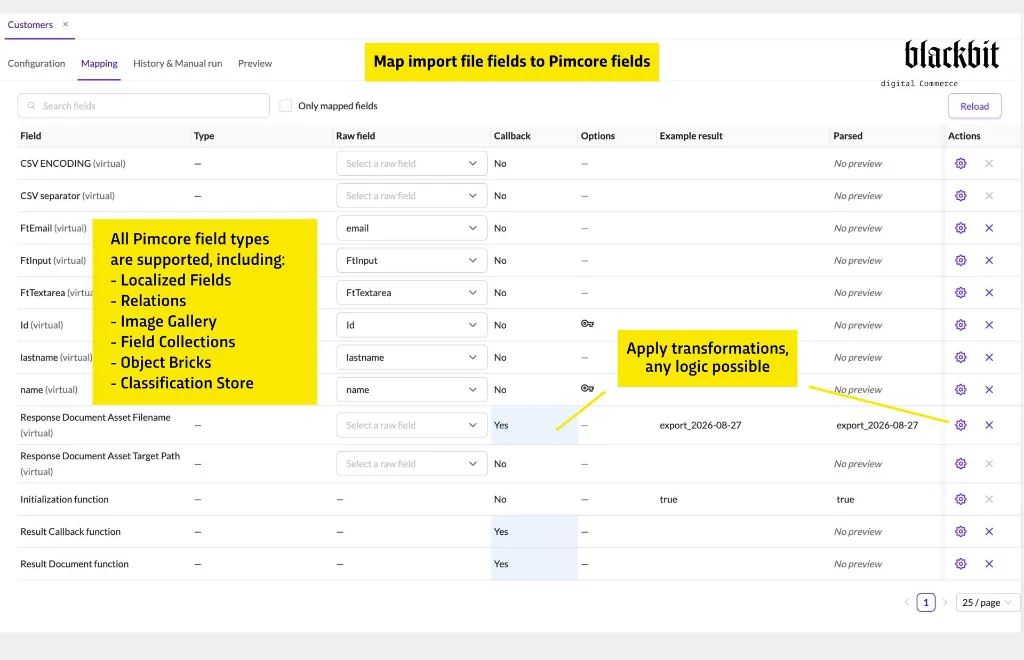
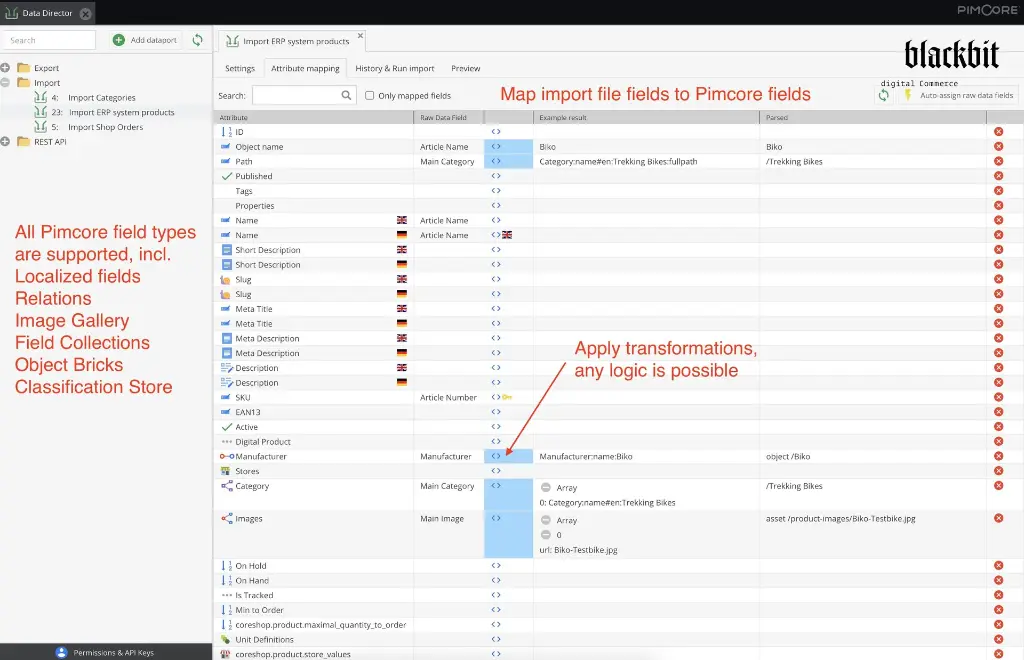
All Pimcore data and field types are supported, including the import of assets and documents, field collections, classification stores etc. Export your data in formats such as CSV, XML, JSON, Excel, or any custom format, and execute follow-up actions like FTP uploads, email dispatch, API transfers or even create complete REST APIs.
Thanks to its intuitive graphical user interface, which implements a low-code solution, and features like real-time data synchronization, customizable transformations, fast import / export performance, and automatic REST API generation the Data Director ETL solution helps you to reduce integration costs and to maintain interfaces sustainably – perfect for tailored and efficient data processes.
Key Features
Pimcore Studio UI
From version 4 onwards, Data Director is available for the new Pimcore Studio interface. Individual convenience features from the classic interface are still being ported– please see the documentation for further information
Flexible Data Imports & Exports
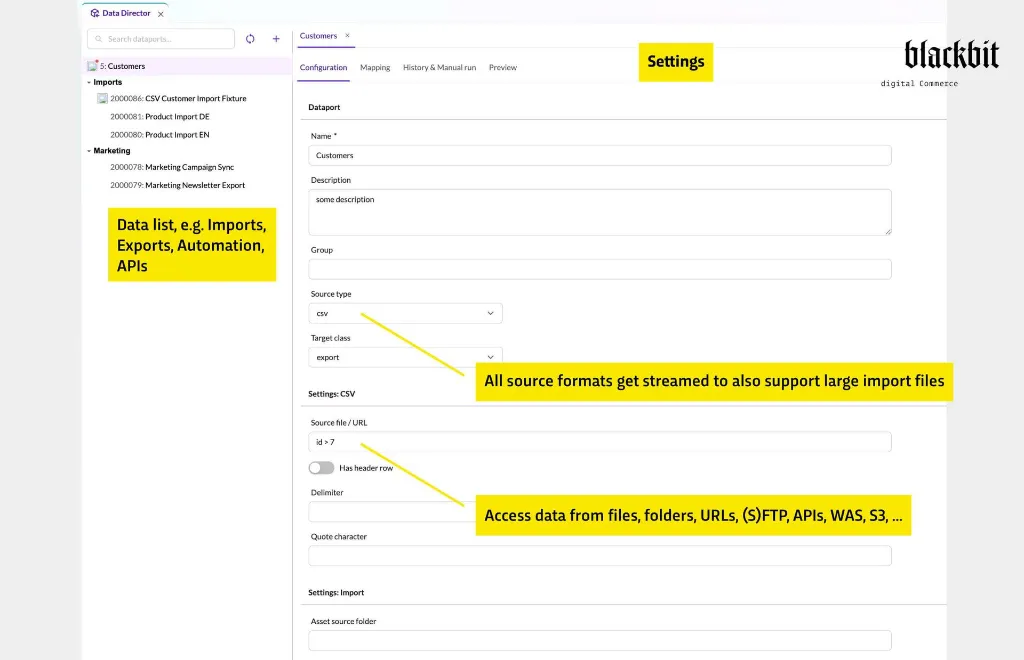
Import data in multiple formats such as XML, JSON, CSV, Excel, and more, directly into Pimcore’s data objects, assets, and documents. Export data back to these formats, and seamlessly integrate Pimcore with external systems.
Integration With Other Systems
Transfer generated exports to remote APIs, FTP, emails etc. with ease.
Powerful Automation & Workflows
Automate repetitive tasks and create workflows based on Pimcore object changes, such as triggering translations or sending data to external systems. Set up cronjobs or event-based imports/exports to keep everything synchronized.
Fast Performance
Optimized implementations provide best performance for imports and exports.
Integrated REST APIs (Classic UI only)
For every import or export operation, Data Director automatically generates REST APIs, enabling real-time data access and system integration with no extra effort.
Simplified, Transparent Setup
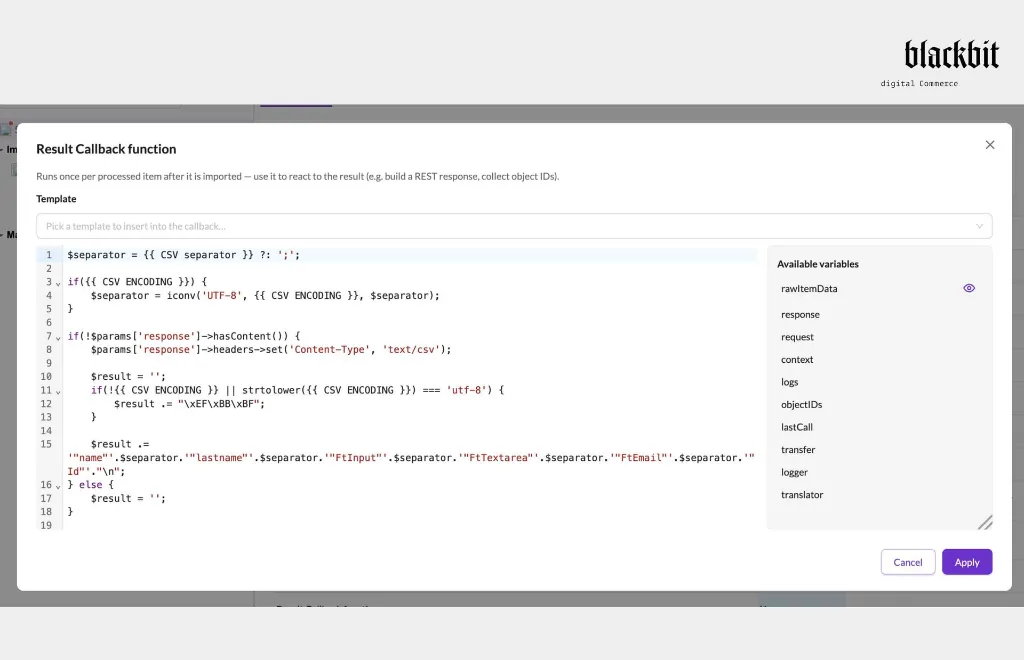
Set up complex imports and exports directly from the Pimcore backend – no coding required (but supported if you need to implement complex logic.
How
It Works
Data Import
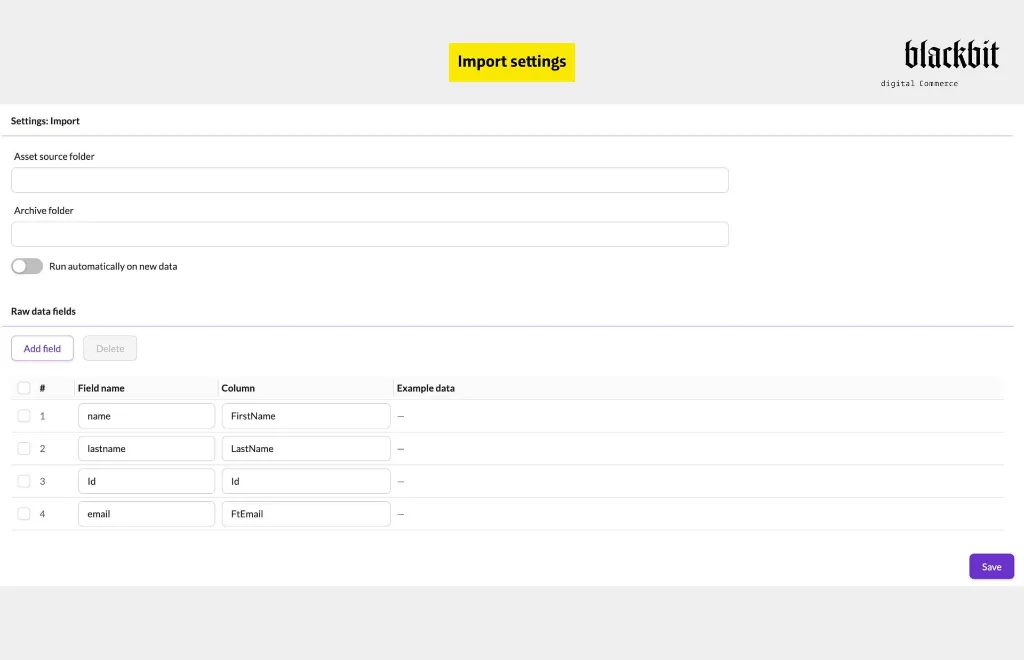
Define the source (CSV, XML, Excel, etc.) and map it to your Pimcore data object fields. Customize the import process with transformations, modify data on the fly, and ensure seamless integration with your Pimcore environment.
Data Export
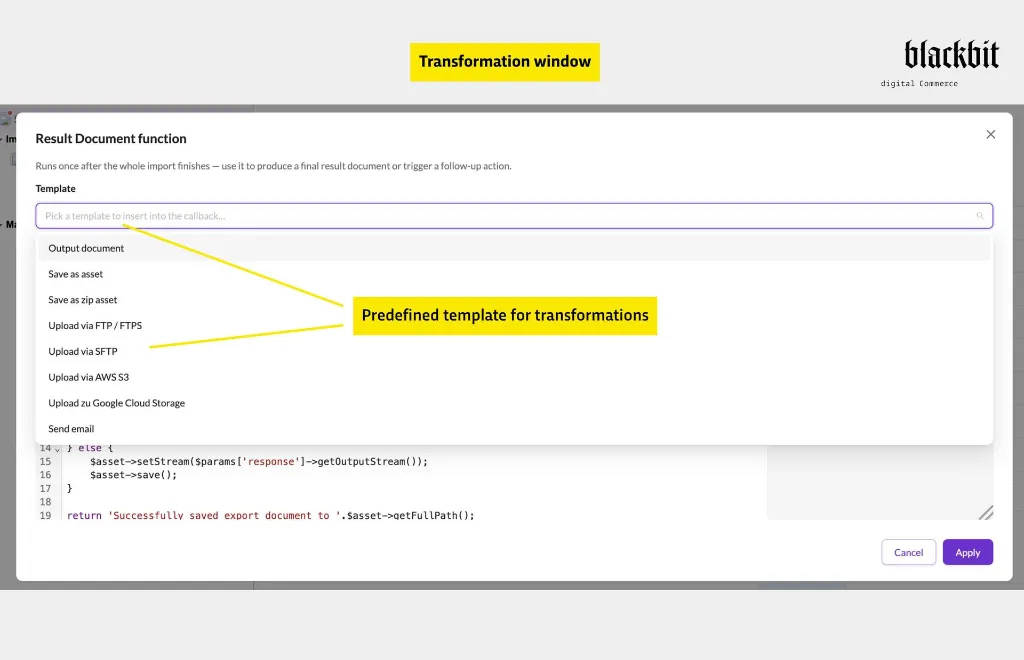
Export data in the format required by external systems, such as CSV, JSON, XML, Excel, or any custom format you need. Define what to do with the generated result file: save as file, send to API, upload to FTP etc.
Automation & Workflows
Automate your processes based on events such as changes in data objects or scheduled tasks. Whether you need to push updates to an external system or trigger business workflows within Pimcore, Data Director makes automation effortless.
Example Use Cases
ERP
Integration
Seamlessly import/export product and inventory data to/from ERP systems like SAP, Navision, and Infor.
E-commerce
Optimization
Automatically push product updates to online shops (e.g., Shopify, Shopware), sync data to marketplaces, and generate product feeds.
CRM
Syncing
Easily integrate customer-related data between Pimcore and CRMs like Salesforce and Hubspot.
Translation
Automation
Automatically translate content using DeepL, incl. automatic glossary management.
Product
Catalogs & Marketing
Export product data for InDesign templates, create feeds for marketing platforms like Google Merchant Center, and automate email marketing via HubSpot.
REST API Design (Classic UI only)
Create REST endpoints for 3rd party applications to always provide the latest data or write to your Pimcore elements.
DAM Integration
Synchronize your company’s asset network drive / DAM system with Pimcore assets.
Why Choose Data Director?
No
Programming Required
Unlike other solutions, Data Director doesn’t require you to write complex PHP code (but supports to do it if complex logic is necessary). Configure everything from the intuitive Pimcore backend interface.
Unmatched
Performance
Data imports and exports are optimized for speed, with streaming capabilities and intelligent caching to process large datasets efficiently. Only changed data is updated, minimizing time and resources.
Ultimate
Flexibility
Data Director offers full customization options, enabling you to fine-tune transformations, mapping, and integration to fit any use case.
Built-in
Error Handling & Traceability
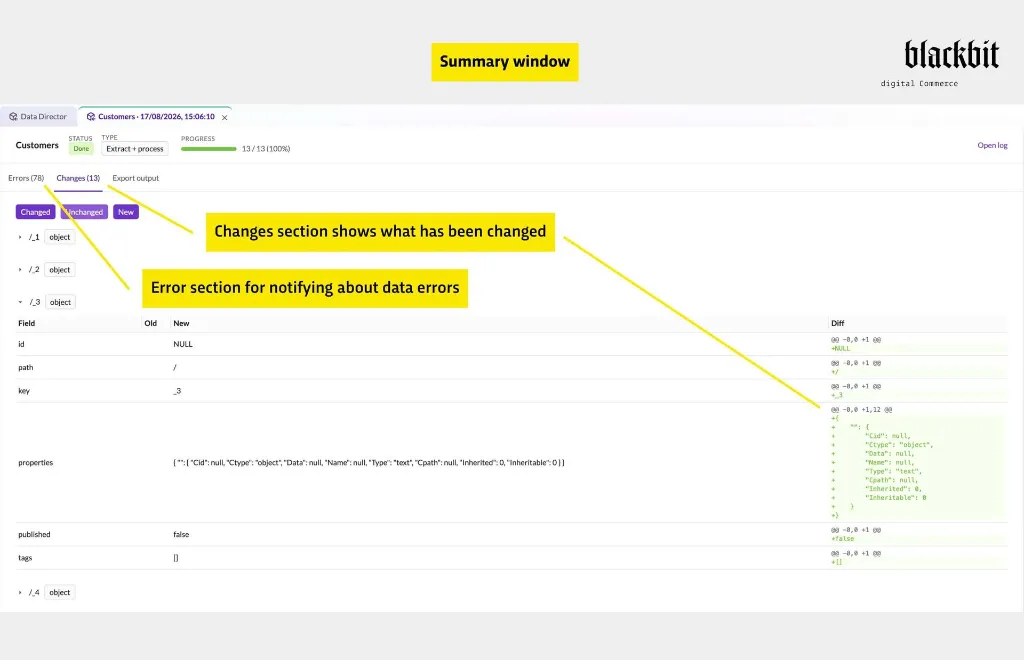
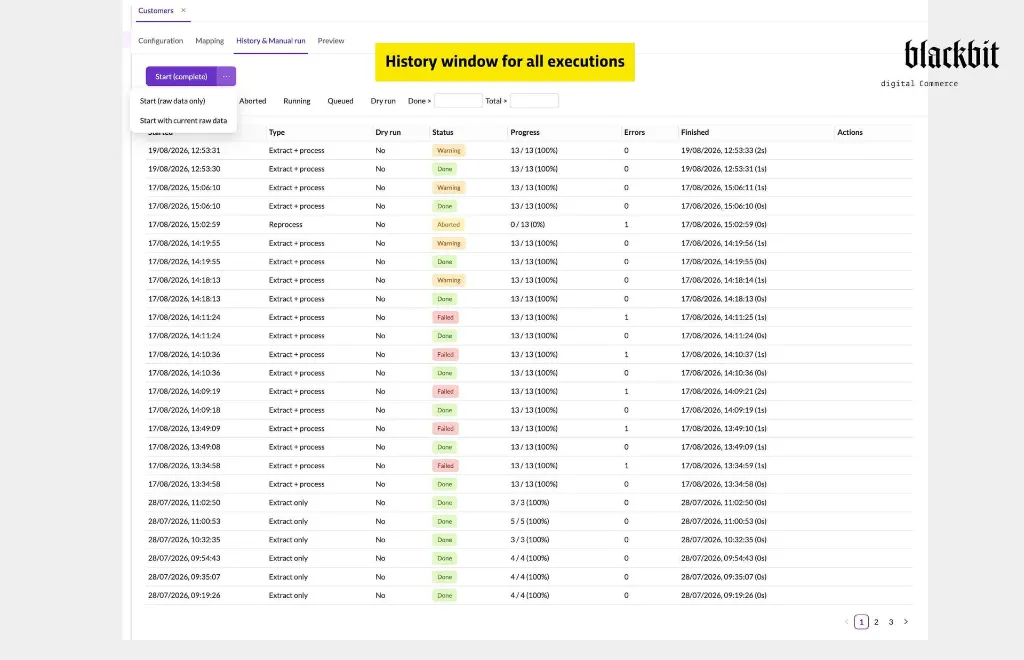
Track all import/export activities with an archive and log history, ensuring complete transparency. Plus, you can revert imports if errors occur, without affecting non-imported data.
Streamlined
Workflows
Automate repetitive tasks such as data exports, uploads to cloud storage (e.g., AWS S3), and email notifications. Set up actions based on triggers like object changes or scheduled cronjobs.
See It In Action
Import data to Pimcore objects
Export Pimcore data to files / APIs
Comparison to other import / export plugins
Try it out yourself with the Data Director Demo
https://www.blackbit.com/en/pimcore_data_director_demo
Version
Current version: 4.x
Pimcore version support
≥ Pimcore 5.4, 6, 10, 11, 12
Platform Version 2025.4+
Technical support
E-Mail Support: hilfe@blackbit.de
Helpdesk: help.blackbit.com
Documentation
https://blackbitdigitalcommerce.github.io/pimcore-data-director/
Videos for Different Use Cases
https://www.youtube.com/playlist?list=PL4-QRNfdsdKIfzQIP-c9hRruXf0r48fjt
SLA
Individually
according to agreement
Installation service
Individually
according to agreement
Invoicing
The usage fee is paid annually in advance
via credit card in accordance with the Pimcore Extension Subscription Agreement
Proprietary license
Dual License