

About BMEcat Import/Export
BMEcat Export & Marketplace Add-on for Pimcore Data Director
This bundle adds result callback function templates to Data Director’s attribute mapping to create BMEcat export feeds.
As it uses Data Director’s export capabilities, your BMEcat exports profit by:
- everything is configurable in Pimcore backend user interface
- no creation of PHP files or anything similar necessary
- access any data which is connected to exported products, for example you can easily access assigned categories, price information, manufacturers, product features, images etc.
- full flexibility in setting up a transformation pipeline to change values to the desired format (e.g. some BMEcat-processing applications have restrictions on length of some fields)
- supported BMEcat versions: 1.2, 2005.1
- automatically execute exports whenever a product object gets saved whose data gets exported to:
- prepare export once the data changes, so that the data does not have to be generated in the moment when the export is requested -> very fast exports because the export document is already available in the moment of request -> you will have an always up-to-date BMEcat export
- upload exports automatically to a target system to always have up-to-date data there
- automatically send data the other APIs
- intelligent checks whether anything changed since the last export. If nothing changed, export document gets delivered from cache - access exports via URL, for example to pull BMEcat export into an external system instead of pushing it
Importing ETIM Classes / Groups / Features to Pimcore Classification Store
Advantages of classification systems like ETIM
Using classification systems like ETIM has several advantages:
1. You do not have to reinvent which technical attributes products of certain categories have.
2. You simplify the process of providing your product data to resellsers and sales partners by exporting a product’s category and technical data in the standardized ETIM format.
For example if your sales partner buys products from multiple suppliers beside you, every manufacturer might invent its own system of categories and technical data attributes. The reseller how faces the challenge of putting all this data from the suppliers / manufacturers to its own category / attribute system. For example one supplier uses a category Clothes > Shoes > For him and another one uses Clothes > Men > Shoes > Sneakers. Now the supplier has to map those supplier categories to its own category system. ETIM simplifies this because it has standardized classes. As soon as a reseller has mapped the ETIM classes to his own category system, he can from now automatically assign supplier products to his own categories - so this mapping effort has only to be done once compared to once per supplier when not using a classification standard like ETIM.
The same problems arise for technical data. One supplier has t-shirt sizes M, L, XL, 2XL while another one has M, L, XL, XXL and a third one has Medium, Large, Extra Large, Extra-Extra large. When a reseller wants to provide a size filter on its website he has to map these different sizes to an own size system. But when the suppliers provide technical data as ETIM features, the whole mapping gets a lot easier because it only needs to be done once for all suppliers which support ETIM.
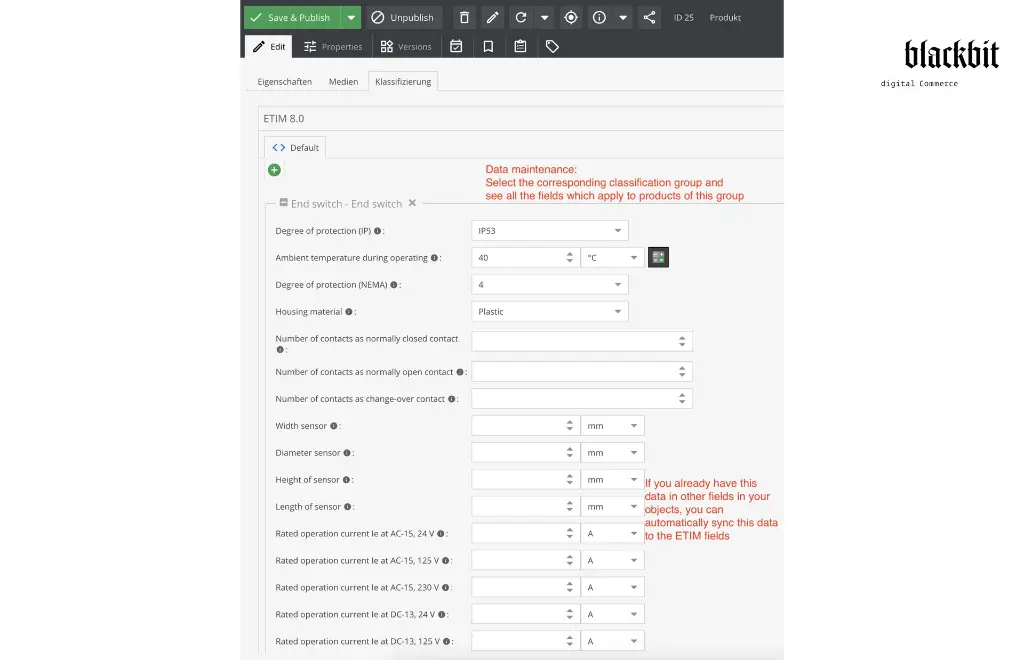
3. You can still keep your categories and technical data in other fields than a classification store because the Data Director bundle can be used to automatically copy the values from your fields to the classification store fields as soon as a product gets saved.
Import ETIM Groups and Attributes
By calling http://your-pimcore.org/classification/etim.xml you can access all ETIM groups as an XML file. Internally the underlying code accesses the ETIM API and converts it to an XML feed:
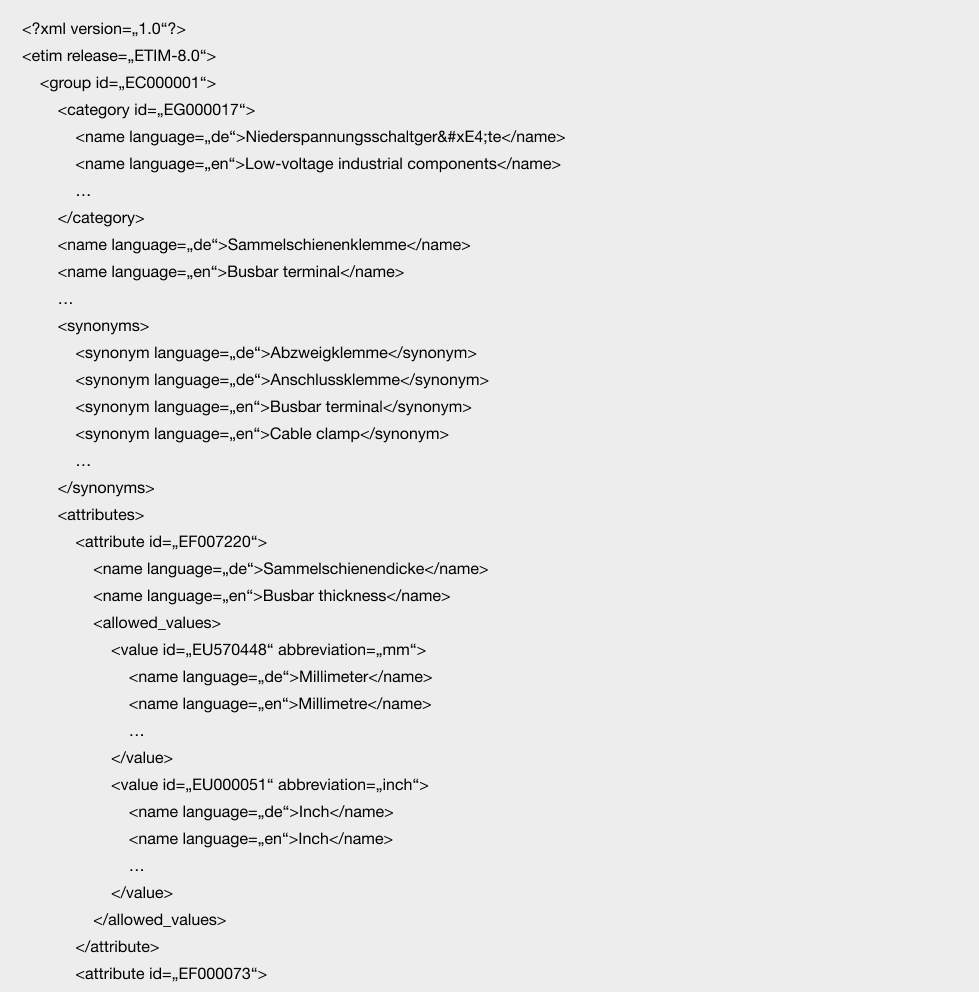
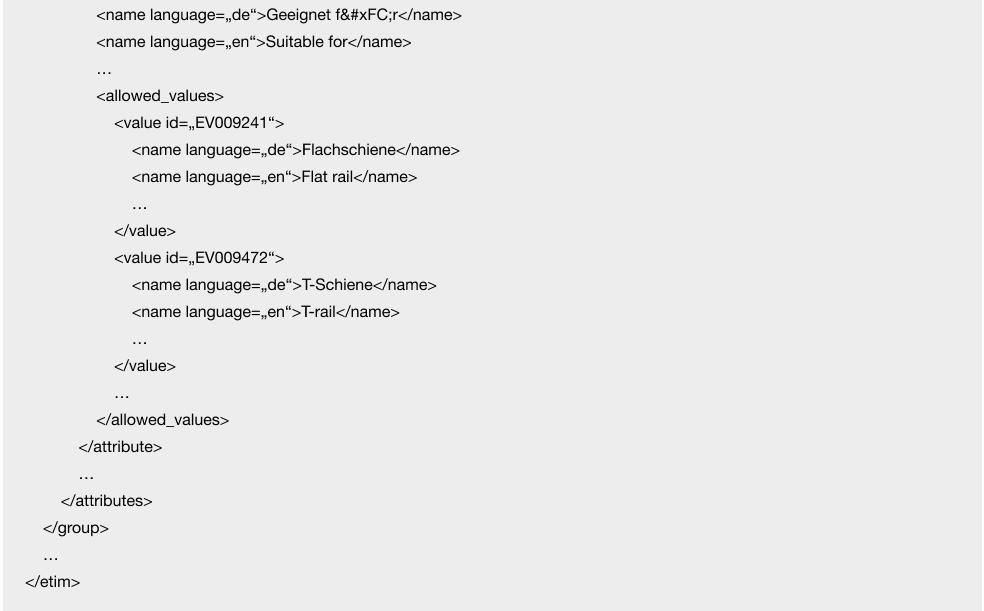
This can be used for creating ETIM groups and features and Pimcore data objects via Data Director.
This URL supports parameters:
release, e.g. http://your-pimcore.org/classification/etim.xml?release=ETIM-9.0 to retrieve all ETIM 9.0 data. By default ETIM-8.0 data gets loaded.
filters: e.g. http://your-pimcore.org/classification/etim.xml?filters[]=EC004082 to retrieve only data for a certain group. It is a fulltext filter, so you will get a certain group even if the filter term only matches for a certain attribute.
Create ETIM Classifiation Store
This bundle provides a command to automatically create and update Pimcore classification stores based on the ETIM classification system. This import command can be triggered with

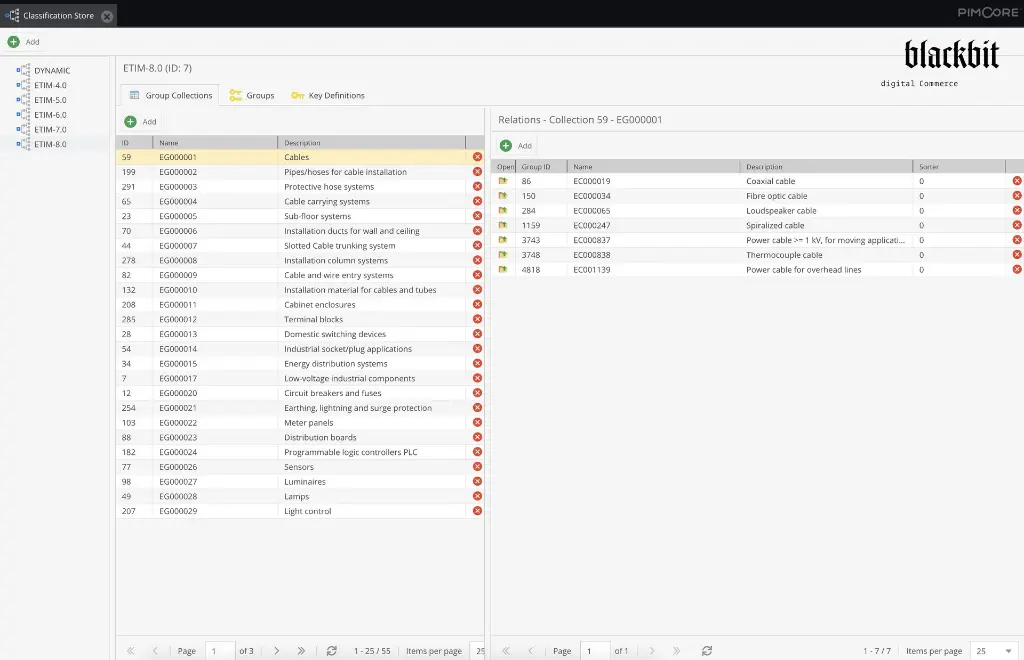
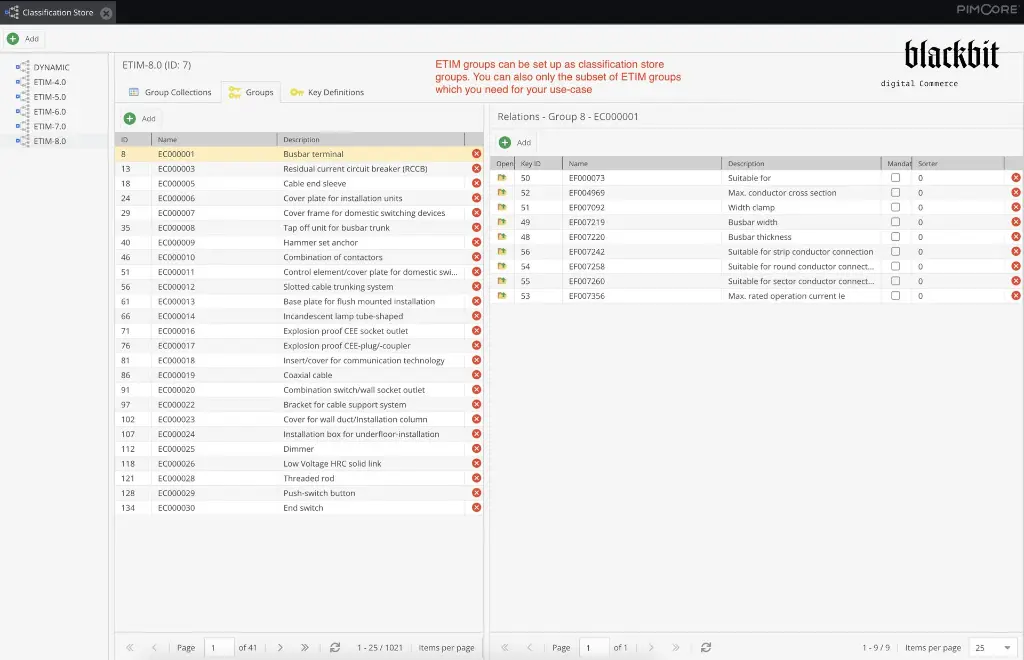
It will automatically create classification stores based on ETIM releases, group collections based on ETIM groups, groups based on ETIM classes and key definitions / fields based on ETIM features.
You can also filter the classes and fields to be created:

This will only import classes and fields which have anywhere in their names, descriptions etc. the term „EC004082“ (ETIM class „shelf“) or „shoe“. It is better to filter by ETIM IDs because with words like „shoe“ you will also import classes like „cable shoes“.
All matching fields get updated with the current data from the ETIM API when you rerun the command again.
If you want to clear the corresponding classification stores before importing again, you can use the —rm flag:
This will search for the class „EC004082“, truncate matching classification stores for all found ETIM releases and afterwards import the class and its fields.
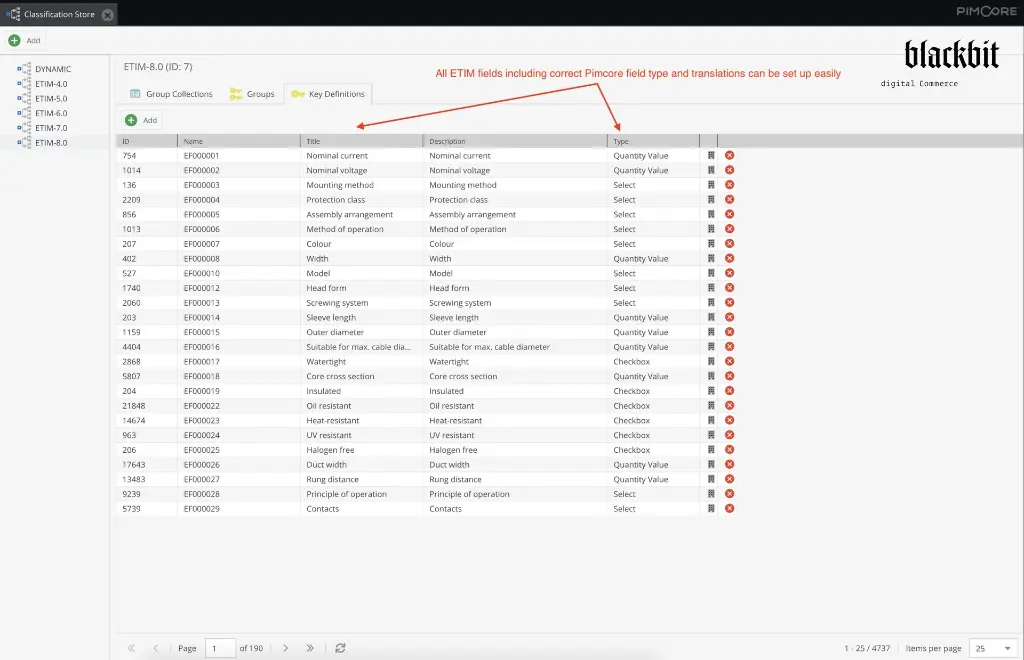
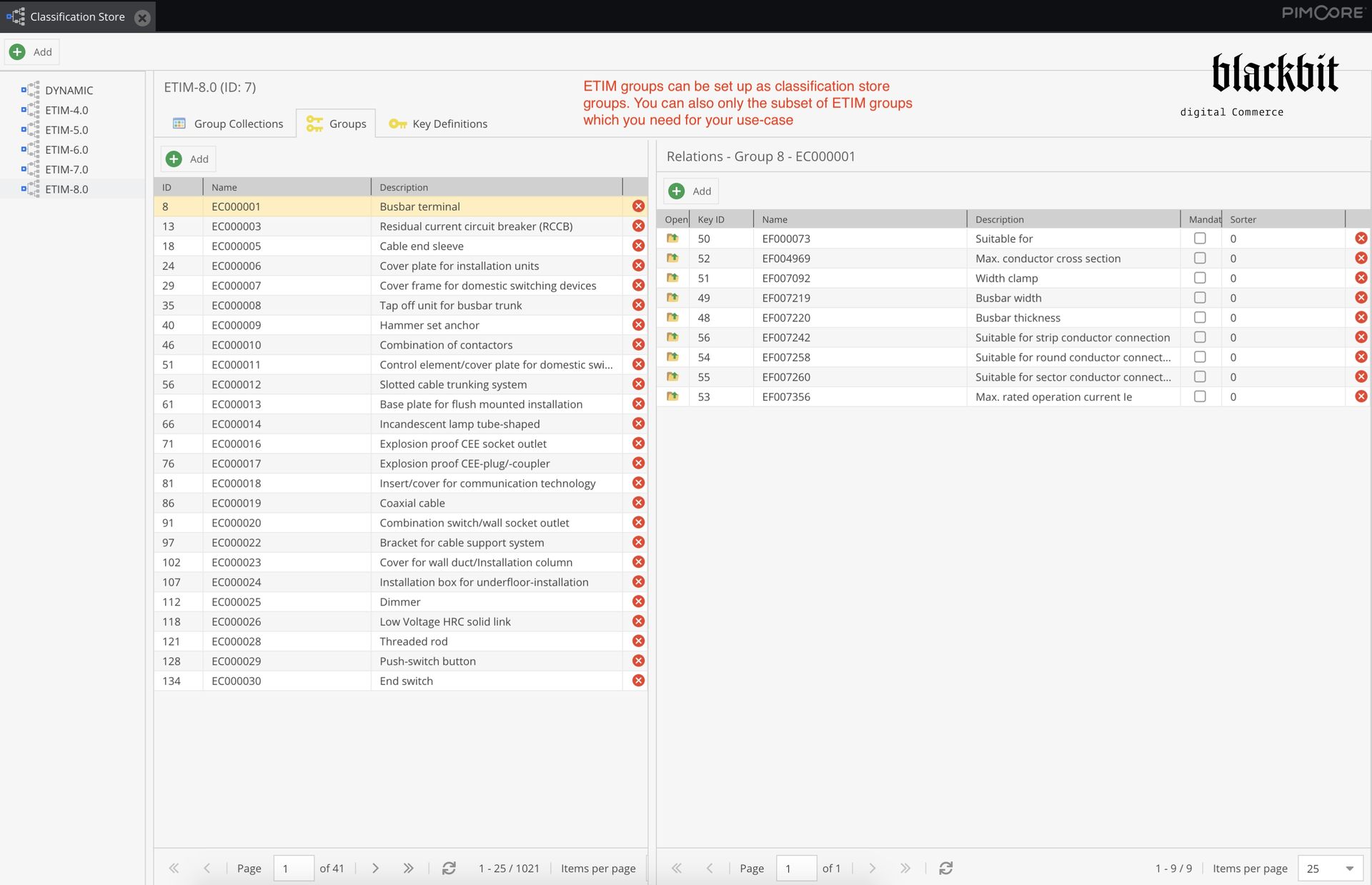
After executing the classification-store-import:etim you will have a classification store with all the available fields, correct field types, available options, quantity value units (incl. conversion factors) and translations:


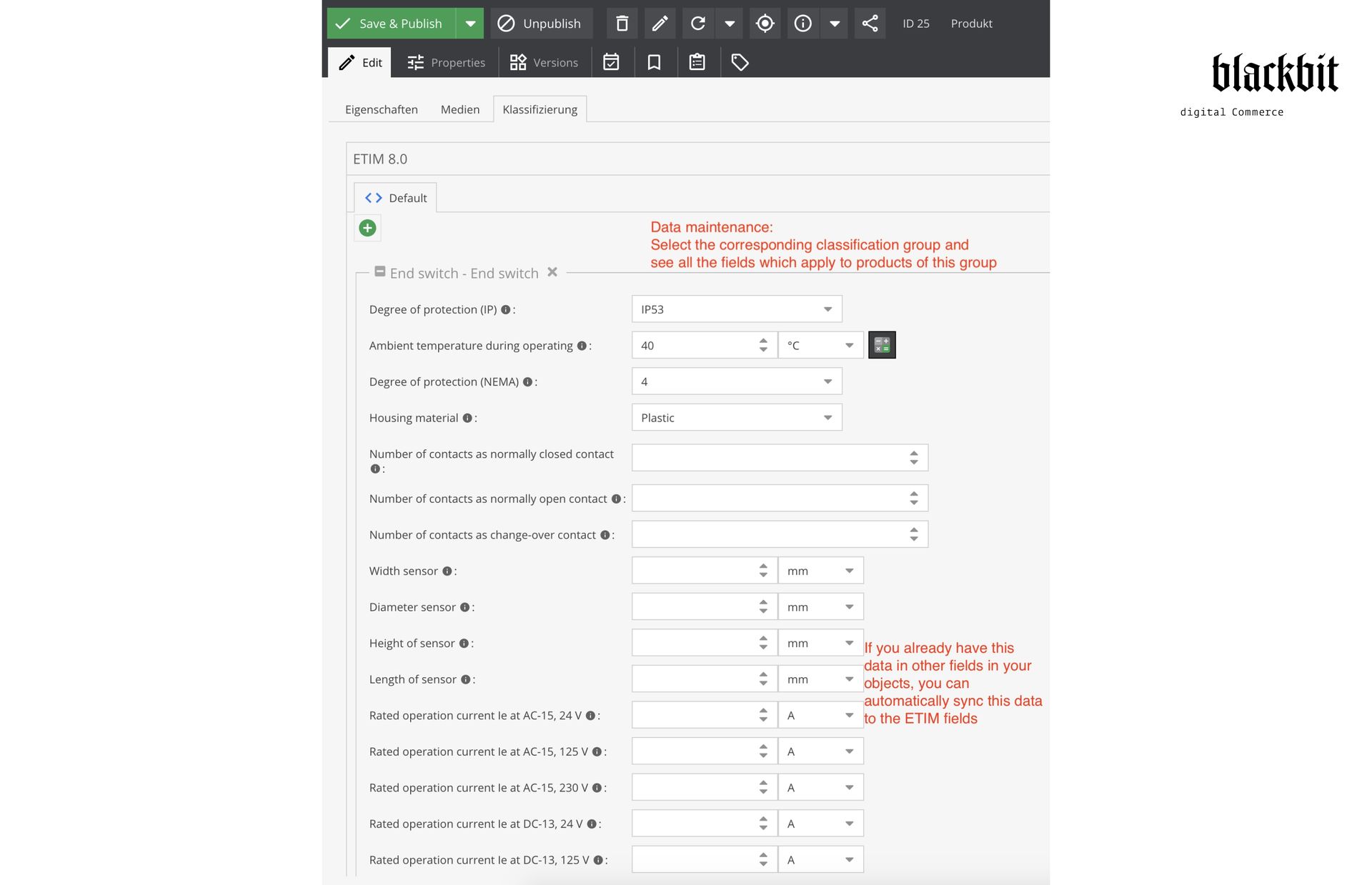
And in object editing you can enter the data:
Import Ebay Categories
Via http://your-pimcore.org/classification/ebay.xml the Ebay categories get fetched from the Ebay taxonomy API and provided as XML. This can be used to import Ebay categories as data objects into Pimcore.
Installation Service
Individually according to agreement
Setup Export
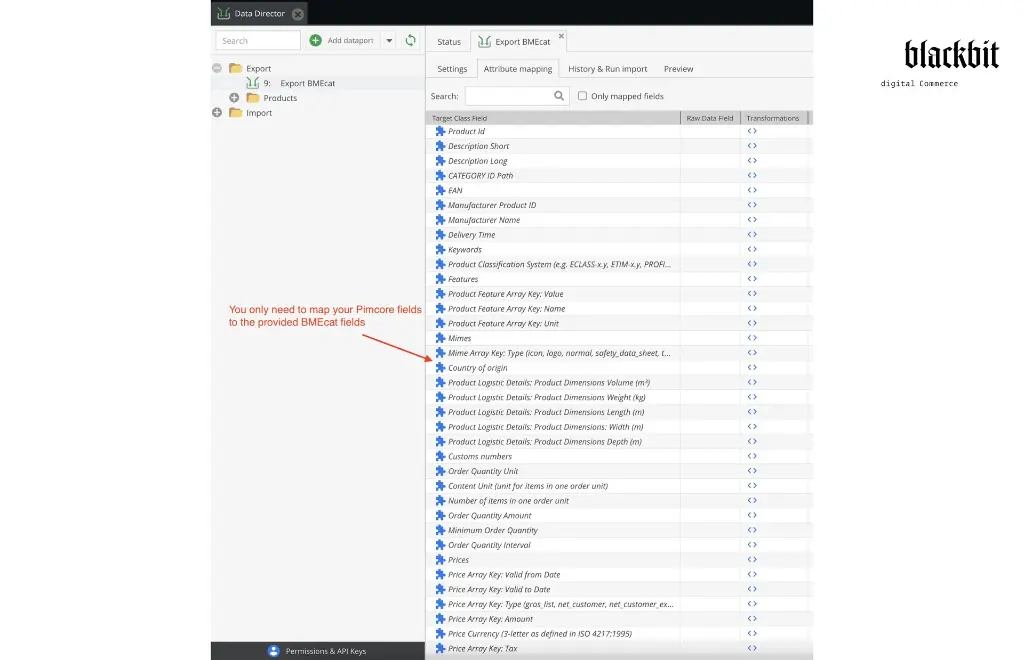
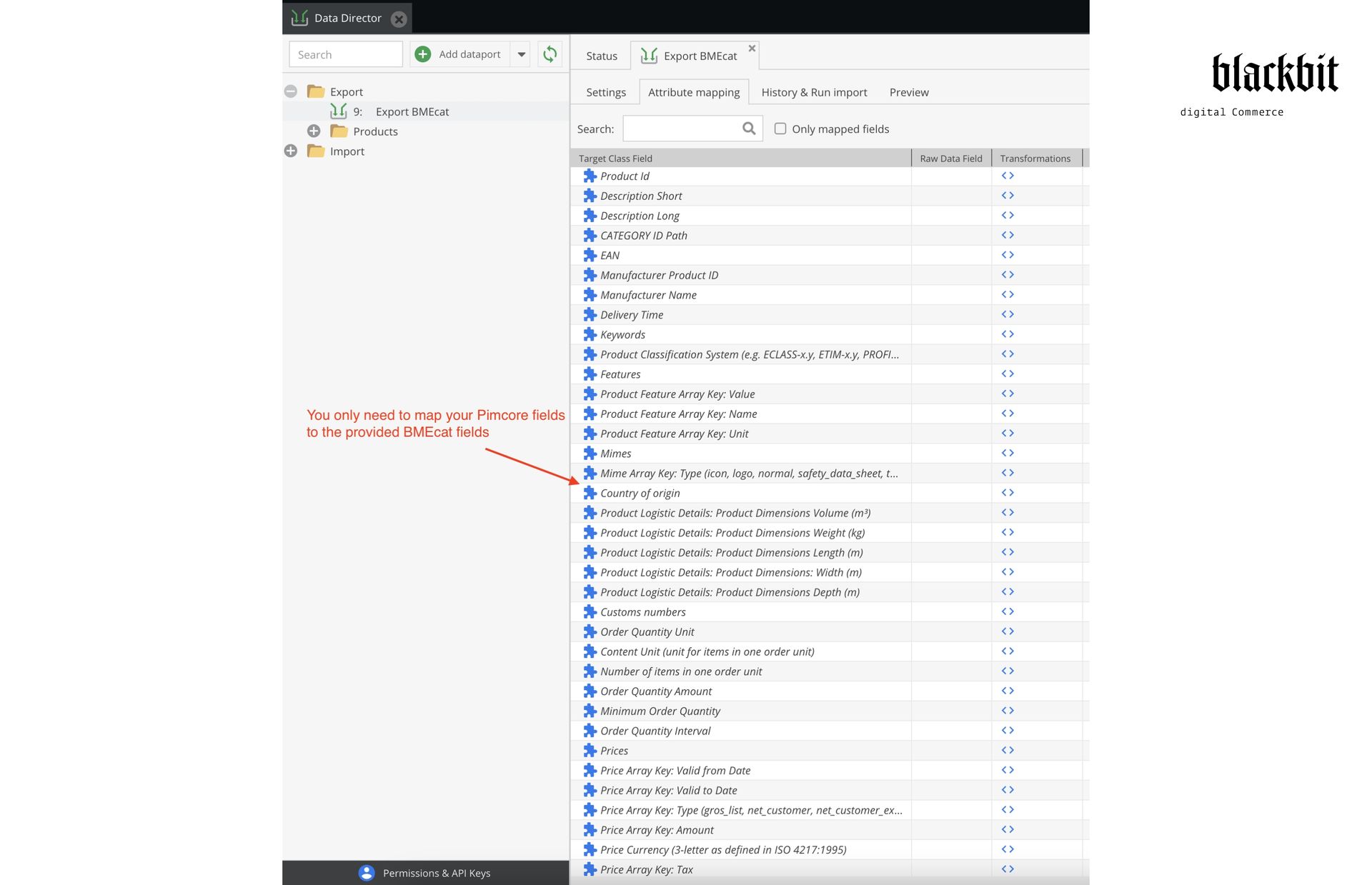
Select BMEcat Export from the list of templates for the Result Callback function in data director’s attribute mapping.
Then the fields which the BMEcat standard defines will appear as virtual fields in attribute mapping. To those fields you can map your data object class fields via drag & drop (and additional callback functions if necessary). Afterwards you can access the export either via manual export or via URL (via Data Director’s REST API).
Version
Current version: 1.6BMEcat Version Support
BMEcat Version Support
Pimcore version support
≥ Pimcore 5.4, 6, 10, 11,
Platform Version 2023, 2024
Technical support
E-Mail Support: hilfe@blackbit.de
Helpdesk: help.blackbit.com
Documentation
https://github.com/BlackbitDigitalCommerce/pimcore-data-director-bmecat
SLA
Individually
according to agreement
Installation service
Individually
according to agreement
Invoicing
The usage fee is paid annually in advance
via credit card in accordance with the Pimcore Extension Subscription Agreement
Proprietary license
Dual License